
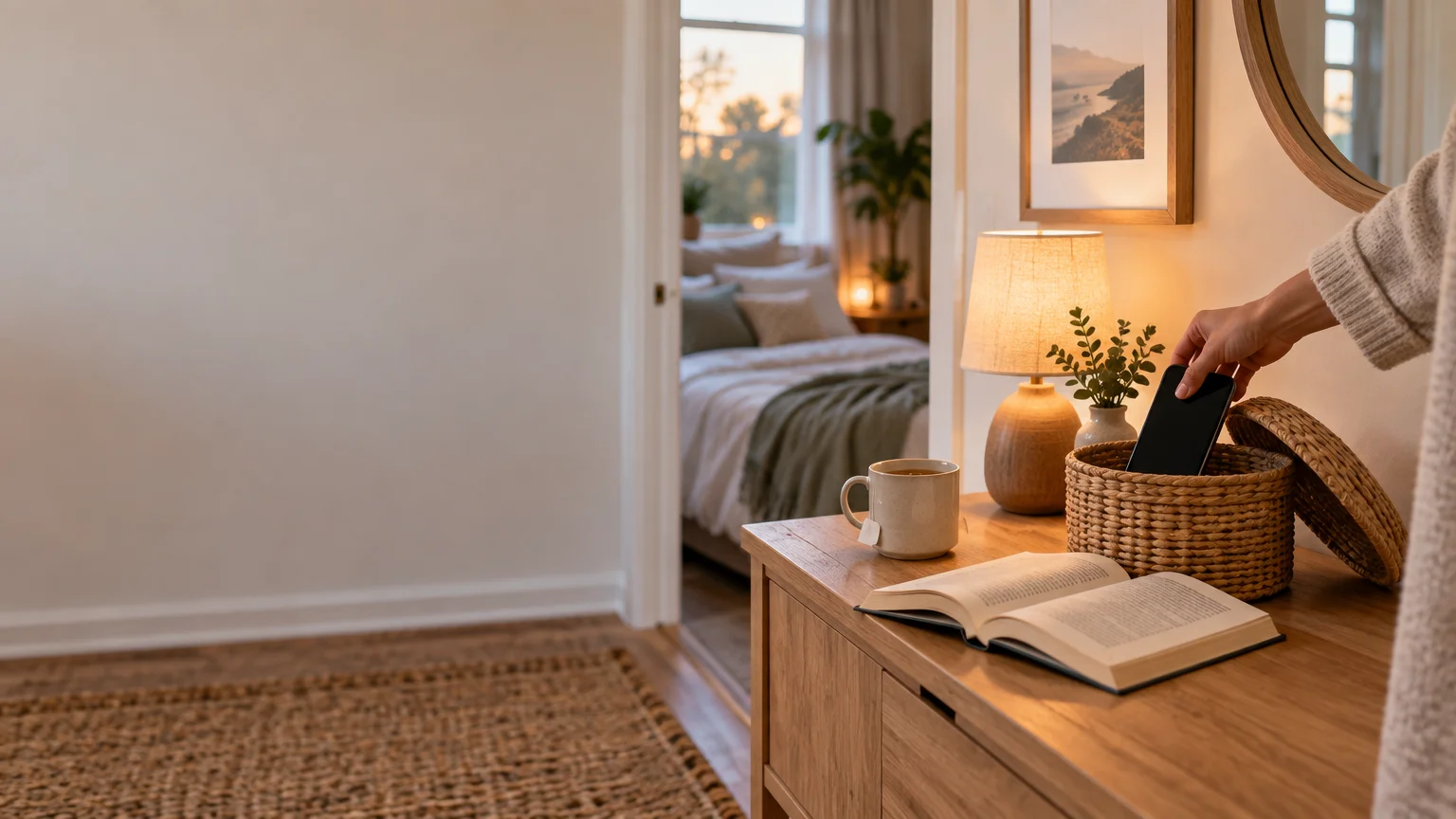
Add Friction to the Habit You Want Less Of
TLDR
To do less of an unwanted habit, add one small step between the cue and the action. Charge your phone farther away, log out of a distracting app, move frequently grazed-on snacks out of sight, or remove one-click checkout. At the same time, make a preferred alternative easier. The goal is a brief, reversible pause—not punishment or a test of willpower.
The basic idea behind behavior change add friction bad habits strategies is simple: change the easiest available path. Many routines happen quickly because the necessary object, app, food, or purchase button is already within reach. A small environmental barrier creates a moment in which you can notice what you are doing and choose whether to continue.
This approach is related to choice architecture, or changing how options are presented and accessed. A large meta-analysis found that choice-architecture interventions can influence behavior across several domains, although results differ by intervention and context. The meta-analysis of choice-architecture interventions is useful background, but it does not mean every environmental adjustment will work for every person. Treat friction as a practical experiment rather than a guaranteed fix.
What adding friction actually means
Friction is any extra effort required to complete an action. It can be physical, such as storing something on a higher shelf; digital, such as logging out of an app; or procedural, such as waiting a day before making a nonessential purchase.
The amount should be small and proportional. You are not trying to make ordinary life miserable. You are changing a behavior from automatic to deliberate by adding a pause, an extra movement, or another decision.
That distinction matters. Locking away all food because you feel ashamed about eating is not a supportive use of friction. Putting a frequently grazed-on snack in an opaque cabinet while leaving fruit or another satisfying option visible is a modest change in convenience. One approach uses the environment to support a choice; the other risks turning the environment into punishment.
A simple framework: add one step and ease one alternative
Use this four-part process instead of redesigning your entire home or phone at once:
- Name the specific moment. Avoid a broad target such as “use my phone less.” Try “avoid opening social media after I get into bed.”
- Identify the current easiest path. Where is the object? Is the app already open? Is payment information saved? What makes the action nearly effortless?
- Add one proportional barrier. Move the object, log out, turn off a prompt, or add a waiting period.
- Ease one useful alternative. Put a book by the bed, prepare a satisfying snack, keep a grocery list accessible, or place another activity where it is easy to start.
Pairing the barrier with an easier alternative prevents the plan from becoming a blank prohibition. If you remove a familiar option without considering what need it served—rest, stimulation, convenience, comfort, or hunger—you may simply find another equally automatic route.
Behavior change add friction bad habits examples
Create a nighttime phone boundary
If bedtime scrolling is the target, change the phone’s resting place. Charge it across the room, outside the bedroom, or in another safe location that works for your household. Put an alarm clock, book, or other preferred bedtime activity within easier reach.
The CDC recommends turning off electronic devices at least 30 minutes before bedtime. Moving a charger is one practical way to support that boundary, but research supplied here does not establish charging outside the bedroom as a stand-alone treatment for insomnia or a guaranteed sleep aid. If your phone must remain nearby for caregiving, medical access, shift work, safety, or emergencies, use a lighter barrier such as placing it face down beyond arm’s reach or scheduling a focus mode. Night workers may also need a routine designed around their actual sleep period rather than conventional nighttime advice; shift work and changing sleep schedules provides more context.
Add a step before opening distracting apps
Digital products are built for quick access, so a small interruption may be enough to reveal an automatic tap. You could:
- Move the app off the home screen.
- Log out after each session.
- Remove saved login details if doing so will not create an account-access problem.
- Use the browser version instead of the app.
- Disable nonessential notifications and marketing prompts.
- Keep the phone in a bag or drawer during a planned task.
These tactics clearly add steps, but strong direct evidence that logging out or moving an icon creates lasting reductions in screen use was not established by the supplied research. Judge the setup by a narrower question: does it create a useful pause in the moment you care about? If you repeatedly work around it without hesitation, either strengthen the barrier slightly or reconsider whether the plan addresses the real cue.
Change snack visibility, not your right to eat
A kitchen friction experiment can be as simple as moving foods you tend to grab without thinking away from the front of the counter or cabinet. Keep them available, but place them somewhere that requires an intentional choice. Then make satisfying options easier to see or assemble.
For example, move an open snack package into a closed cupboard and put fruit in a visible bowl. Portion leftovers into ready-to-reheat containers. Place yogurt, prepared vegetables, or other convenient foods near the front of the refrigerator. If planning ahead makes those options easier to use, a simple meal-planning routine can support the setup.
A systematic review of dietary choice-architecture interventions in health-care workplaces found that proximity-based changes were frequently effective. That setting is different from a home kitchen, however, so it would be unreasonable to promise the same result for every household. Food access also needs to work for children, housemates, mobility needs, sensory preferences, and different schedules. The best arrangement is one that remains practical for everyone who uses the space.
Use purchase defaults to slow impulse buying
Shopping systems contain defaults too. Saved cards, one-click checkout, recurring orders, promotional alerts, and prefilled carts can reduce the number of decisions between wanting something and buying it.
To create a pause, remove one-click checkout for nonessential purchases, unsubscribe from promotional notifications, keep items on a wish list for a day or two, or shop from a repeat grocery list. A saved grocery cart can also make the foods you routinely need easier to select before you encounter promotions.
Defaults can meaningfully shape choices in some settings. In a randomized online grocery-shopping trial involving adults with low income, prefilled fruit-and-vegetable cart defaults increased the share of spending on eligible fruits and vegetables in that experiment. The study measured shopping outcomes, not long-term food intake, body weight, or health. The useful takeaway is not that everyone needs a prefilled cart; it is that the starting setup can influence what is easiest to buy.
How much friction is enough?
Start with the smallest barrier likely to interrupt autopilot. If moving an app to a folder works, there is no need to delete your account. If storing a snack in a cabinet turns grazing into an intentional choice, you do not need a rigid household rule. Friction should reduce automatic behavior without interfering with essentials.
Watch for signs that a barrier is too strong:
- It blocks access to necessary food, communication, money, medication, mobility equipment, or safety resources.
- It creates shame, anxiety, secrecy, or conflict in the household.
- It adds substantial cost or transfers an unfair burden to someone else.
- It depends on physical steps that are inaccessible or painful.
- It makes a preferred alternative so inconvenient that neither option is realistic.
- You continually dismantle it because it does not fit your schedule.
Environmental effects may also depend on the setup remaining in place. A systematic review concerning physical activity and sedentary behavior found that environmental interventions could affect behavior while active, while maintenance after removal was less reliable. That does not make the method pointless. It means a helpful setup may deserve to become part of the room, device, or shopping process rather than a temporary challenge.
Run a short, low-pressure experiment
Choose one specific behavior and test one barrier for a week or two. Record only enough information to make a decision. A short note such as “opened the app intentionally,” “worked around the barrier,” or “forgot about it” may tell you more than a complicated tracking system.
At the end, ask three questions:
- Did the barrier create a noticeable pause?
- Did the easier alternative meet the need well enough?
- Was the setup convenient, accessible, and acceptable to other people affected by it?
Keep it if it helped without causing unnecessary trouble. Simplify it if it was irritating but promising. Replace or discard it if it did not affect the target moment. A failed setup is information about the environment, not evidence that you lack discipline.
Frequently asked questions
Is adding friction the same as using willpower?
Not quite. Willpower asks you to resist an easy, immediately available action in real time. Friction changes the setup beforehand so the action is less automatic. You still make the choice, but the environment gives you a little more time to make it.
Should I log out of every distracting app?
Probably not. Start with the app connected to one specific problem moment. Logging out of essential communication, banking, navigation, or accessibility tools may create more trouble than value. Use the lightest effective barrier.
What if I share my home with other people?
Avoid imposing your experiment on everyone else. Use personal shelves, device settings, separate notification preferences, or an individual shopping list. Discuss any change that affects shared food, chargers, accounts, or household routines.
Can friction fix persistent sleep problems?
A phone boundary may support a bedtime routine, but it is not a treatment for insomnia or another health condition. Talk with a qualified health-care professional if sleep problems are persistent, severe, or affecting daytime functioning.
What if I immediately work around the barrier?
First check whether the barrier is too easy, but also examine the cue. You may be tired, hungry, lonely, overstimulated, or trying to avoid an unpleasant task. A stronger obstacle will not always solve the underlying need. Adjust the alternative as thoughtfully as the barrier.
Make the next choice slightly easier
Pick one recurring moment—not your whole lifestyle. Add one small step before the habit you want less of, then place a useful alternative closer at hand. You might move tonight’s charger, log out of one app, rearrange one kitchen shelf, or disable one shopping prompt. Keep the change only if it creates a helpful pause without making daily life harder overall.
References
- The effectiveness of nudging: A meta-analysis of choice architecture interventions across behavioral domains – PMC
- About Sleep | Sleep | CDC
- Choice architecture interventions to improve diet and/or dietary behaviour by healthcare staff in high-income countries: a systematic review – PMC
- Effect of Financial Incentives and Default Options on Food Choices of Adults With Low Income in Online Retail Settings: A Randomized Clinical Trial.
- Choice architecture interventions to change physical activity and sedentary behavior: a systematic review of effects on intention, behavior and health outcomes during and after intervention – PMC